A 30-page IVD clinical protocol, translated and terminology-checked in about fifteen minutes
Translating English to French is the easy part. Keeping the layout intact and every product name and assay term aligned with the French IFU is where the day goes. Here's the workflow that collapsed it.6 min read
A fairly typical piece of work landed on my desk today: take a 30-page English IVD clinical protocol and turn it into French.
If the job were only "make the English French," it wouldn't be hard. What makes it hard is everything attached to it. The translated protocol has to keep the original formatting as closely as possible, and the product names, assay names and technical terms have to match exactly how they're worded in the product's French Instructions for Use.
So it isn't one task. It's three: translation, plus formatting fidelity, plus terminology consistency review.
Done entirely by hand, the translation isn't even the expensive part. Checking thirty-odd pages term by term against the French IFU is where the afternoon goes.
AI can obviously help here. But the more I actually use it, the clearer one distinction becomes: having AI is one thing, and having the right AI tooling is another. Below is the real task, and how the whole thing got done in about fifteen minutes.
Step 1 — Translate the 30 pages
Translation itself is fairly commoditised now; plenty of tools will do it. For a document like this, though, translation quality is only half of it — the domain terminology and the original layout matter just as much.
I opened raqb.ai, went to Document Translation, picked the target language, and dropped the Word file in. A few minutes later the translation was done and I downloaded the file directly.
Translation runs on Google's models, and applies the professional terminology appropriate to the document's domain.
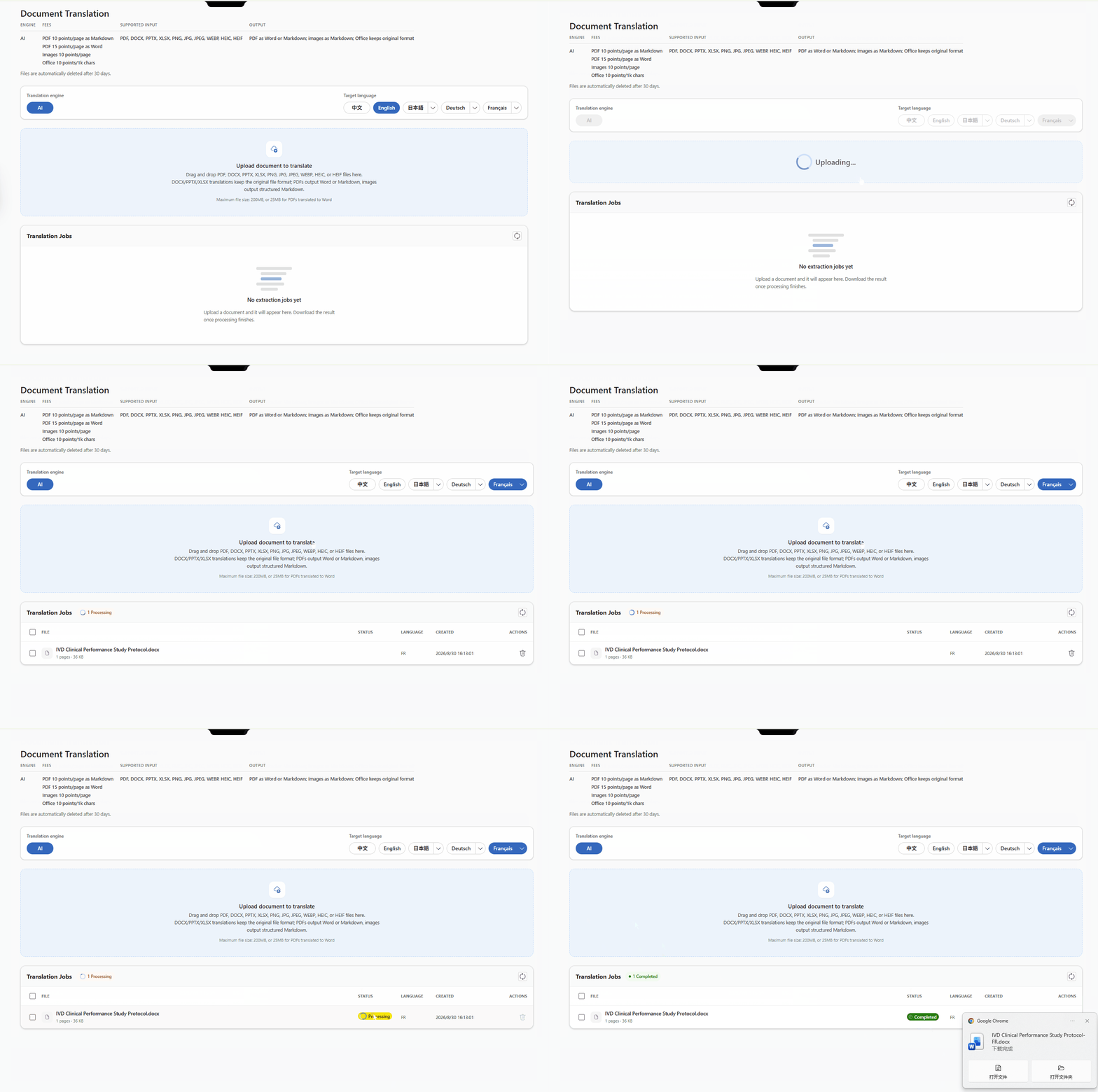
But finishing the translation is only the first step. The part that actually matters comes next: checking the translated French protocol against the terminology used in the product's French IFU.
Step 2 — Review the terminology against the IFU
You could, of course, upload the translated protocol and the IFU into an ordinary AI chat app and ask it to review them.
In practice that's awkward. Chat apps tend to be slow at reading and processing a Word document running to dozens of pages, and the review output usually comes back as text in the chat window. Every time you find a problem, you have to go back into Word, locate the passage, and fix it one at a time. For a 30-page clinical protocol, that back-and-forth is not the shortcut it looks like.
With the RAQB Word add-in this step gets much simpler.
Open the protocol you need to review, launch the RAQB add-in inside Word, upload the product's French and English IFUs as reference files, and give the AI an instruction:
The reference files are the reagent's English IFU and its corresponding French IFU. The current Word document is the French clinical study protocol for that reagent. Using the English-to-French rendering in the IFU as the reference, review whether the French used in this protocol is consistent with the French used in the IFU. List the inconsistencies clearly. Do not modify any file.
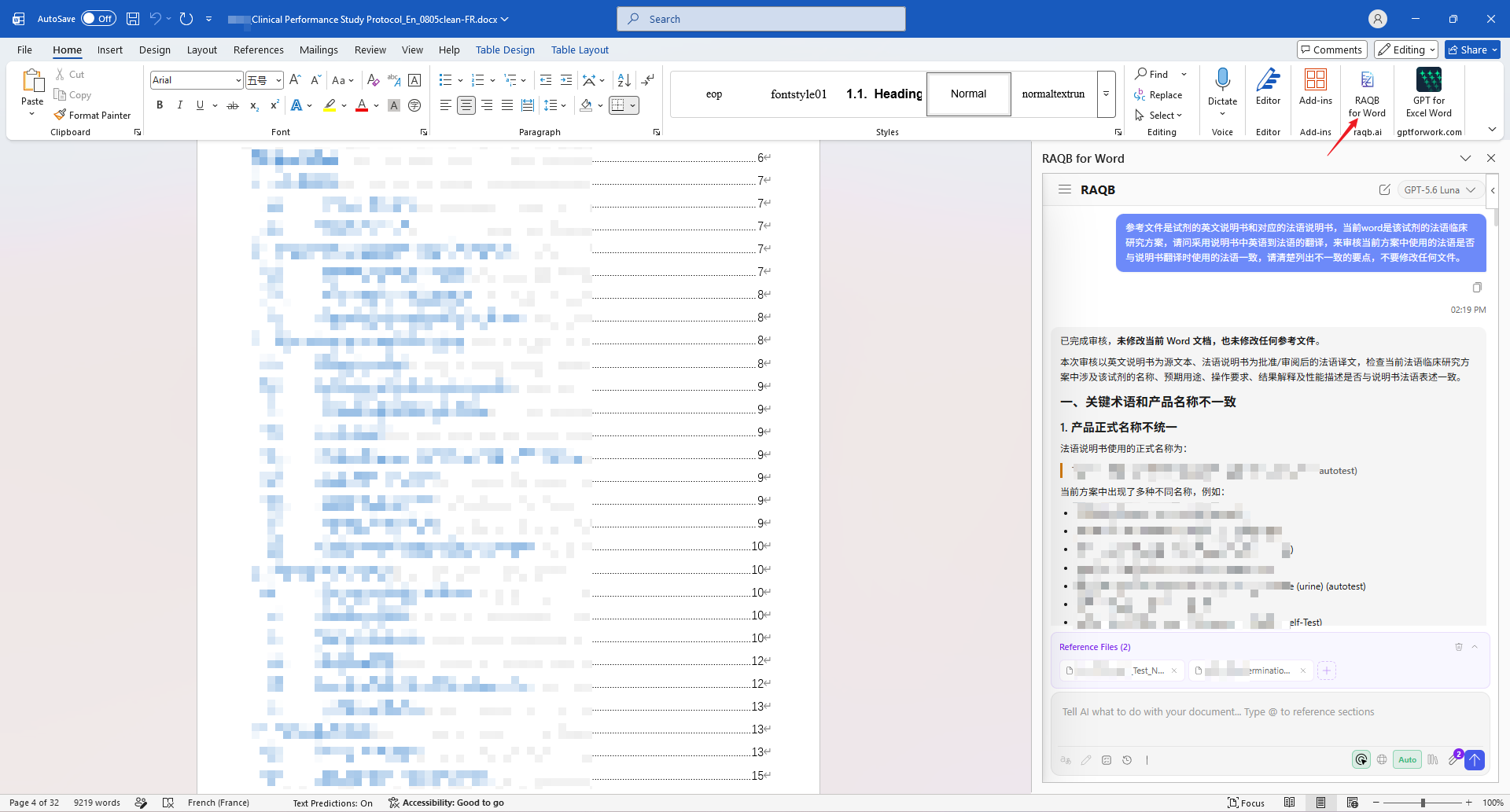
If the review comes back broader than you wanted — listing things that didn't need checking — you can just narrow it with a follow-up:
Only check and list the parts where the protocol's terminology is inconsistent with the IFU.
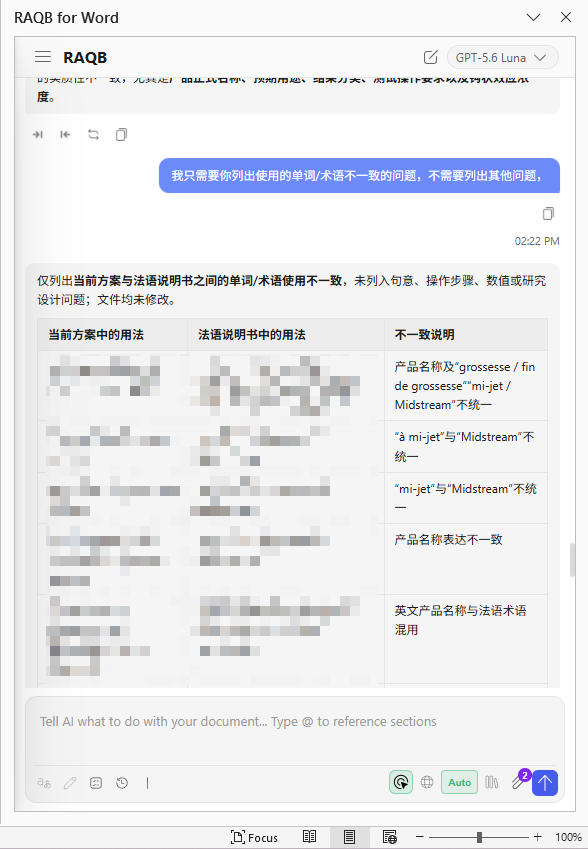
Asking for the results as a table makes them far easier to work through. The protocol text is on the left, the issues the AI found are on the right, and you can check them off against each other directly.
Step 3 — Let the AI make the edits
If there turn out to be a lot of issues, fixing them one by one by hand is still tedious. So hand that over too — tell the add-in to revise the document according to the review it just produced.
The AI turns on Word's track changes and works through the findings, editing the protocol item by item.
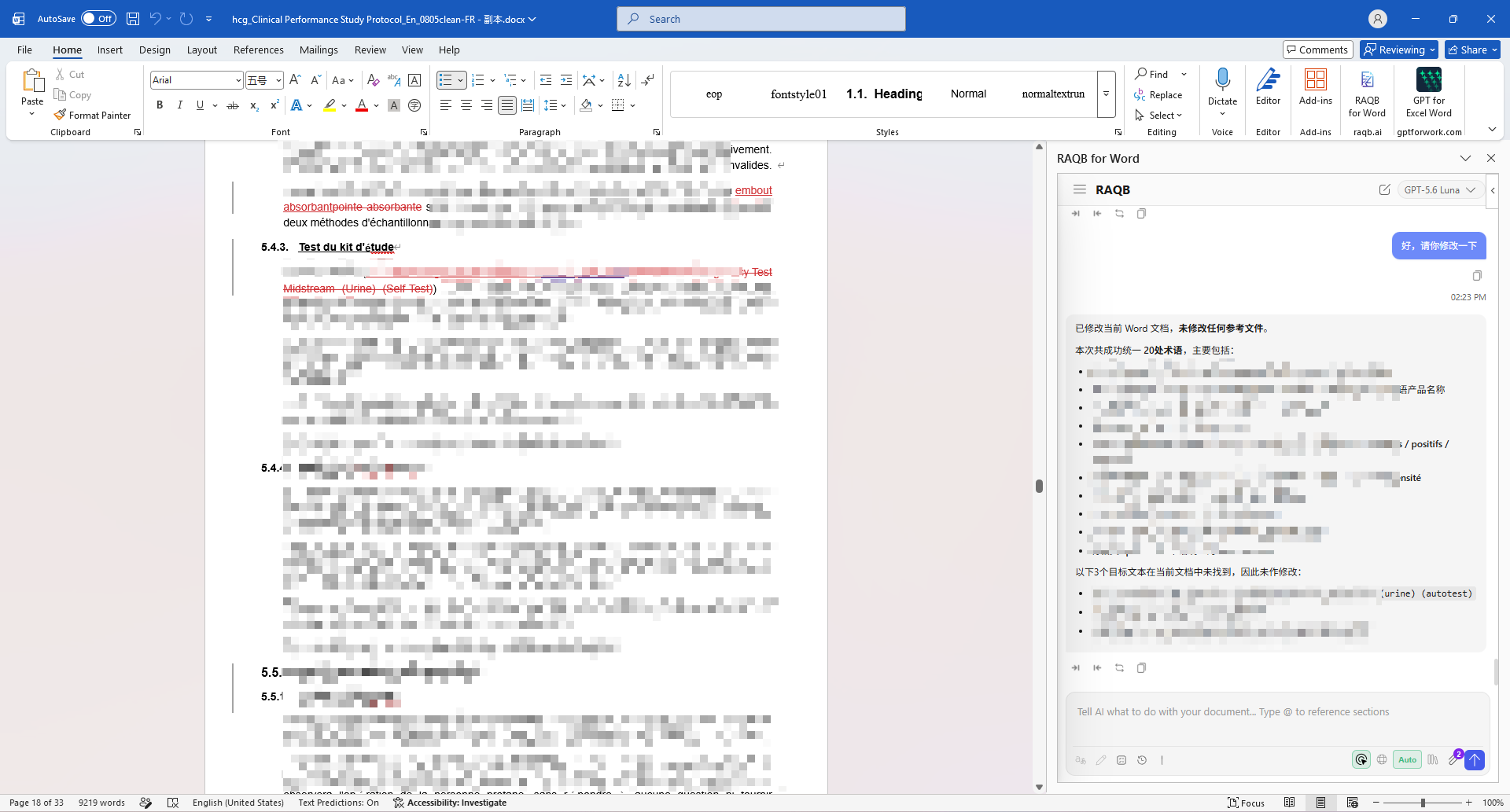
When it's finished, you don't have to take its word for any of it. Every edit stays in Word's revision history, so you review it exactly the way you'd review a colleague's marked-up draft: go through the changes one at a time, confirm each, and decide what to accept.
Fifteen minutes, end to end
At this point the 30-page IVD clinical protocol has been through the whole chain: English → French translation → formatting preserved → terminology reviewed against the product IFU → edits applied in track changes.
The whole thing took about fifteen minutes.
Done by hand, the time sink was never really the translation. It was what came after — cross-checking terminology, hunting down each location in the document, and making the corrections one at a time.
Which is the thing I keep running into: the efficiency gain from AI doesn't come from asking it a few questions. It comes from getting it inside the workflow you already have.
As always: machine translation and AI-generated edits need review by a qualified person before the document goes anywhere near a submission.
New here? Use invite code K68N8HEC at checkout for $3 off Plus or $5 off Premium.